Climify - MVP
An app of your clima
Process
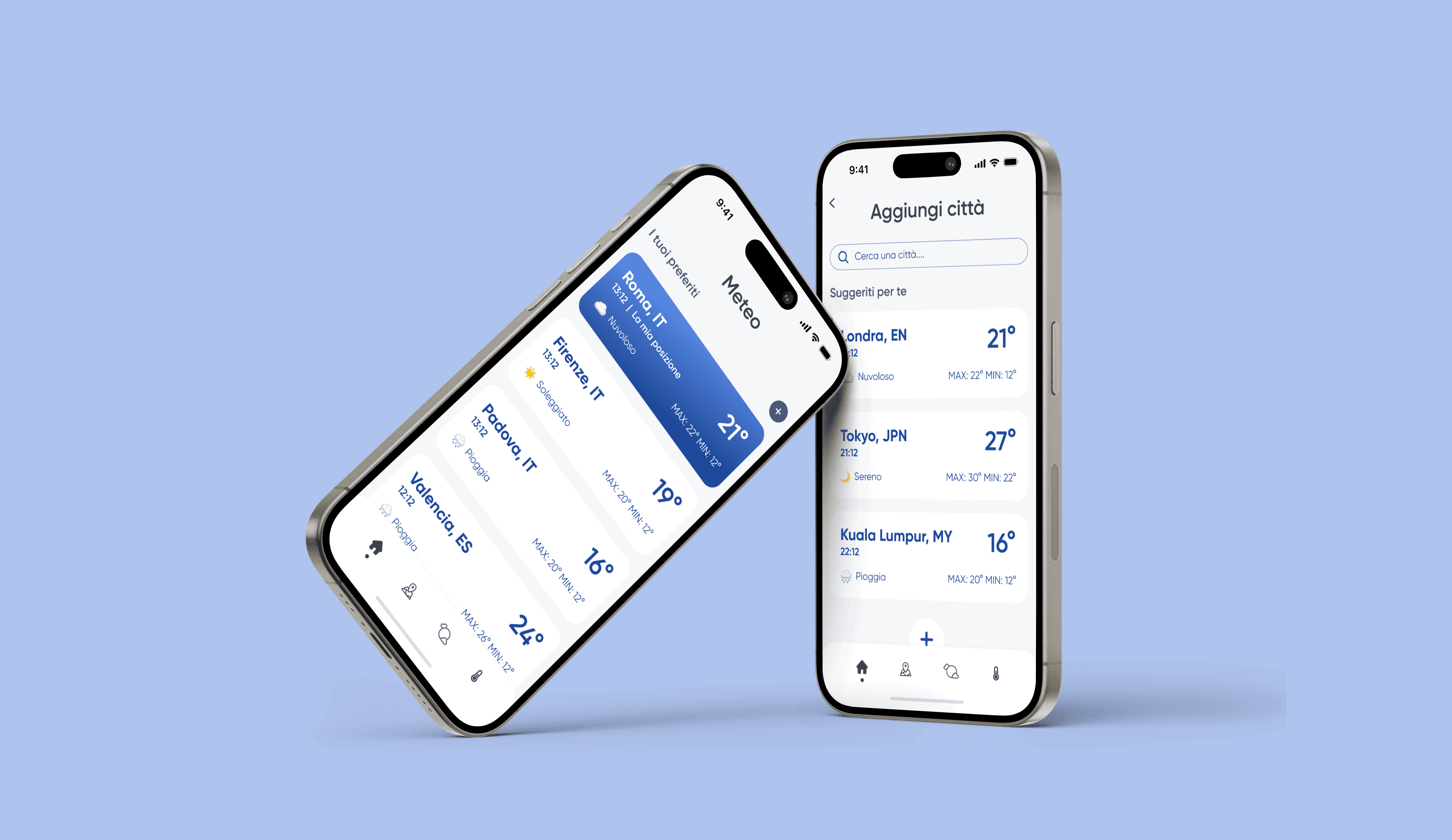
We started by defining the core functionalities a weather app should have, prioritizing simplicity and usability. The aim was to create an intuitive interface that provides essential information at a glance.
Synthesizing requirements
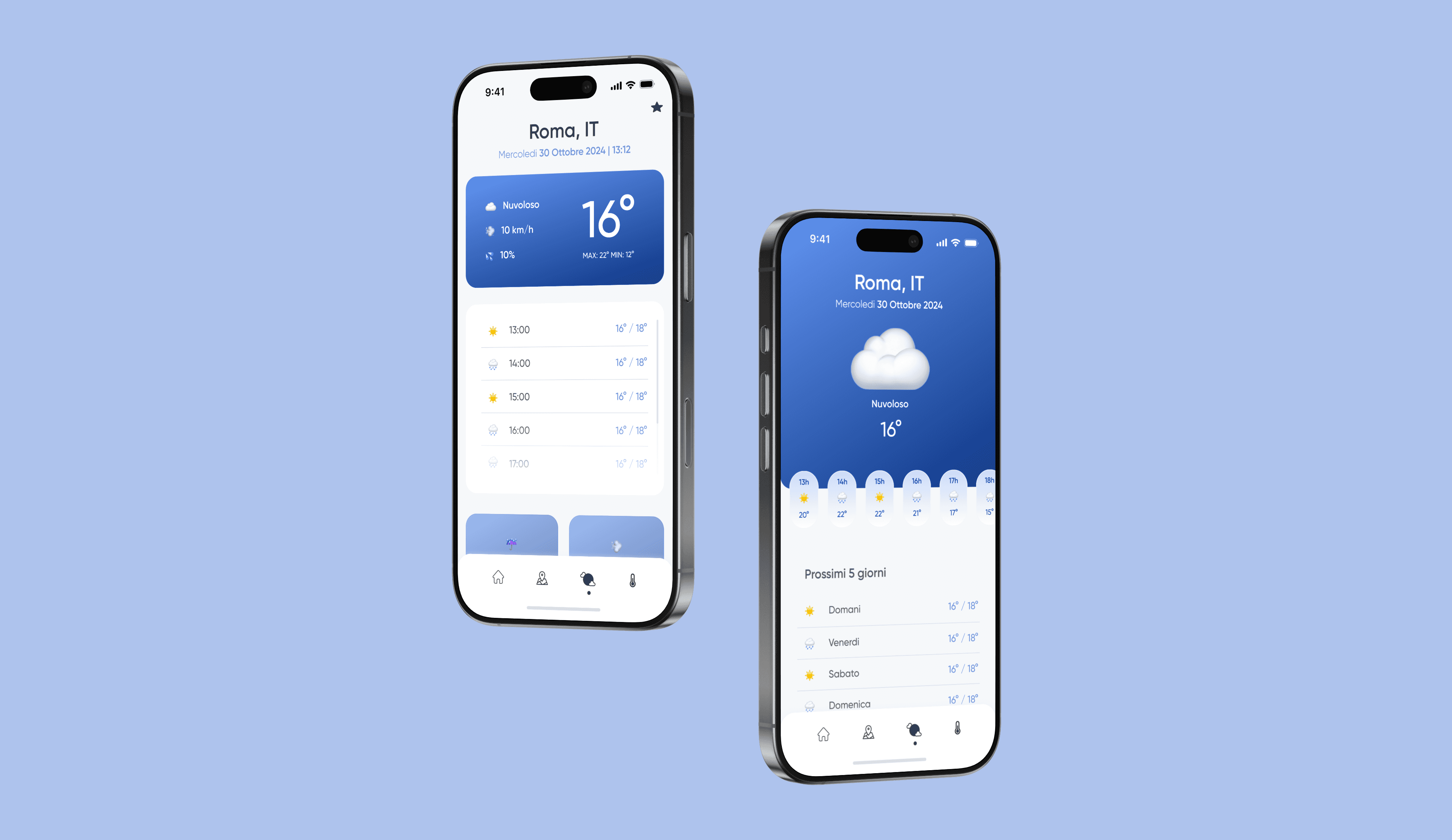
Key design elements were identified: a prominent display for current location, time, day, and weather condition, supported by a clear temperature indicator and supplementary hourly or weekly forecasts.
Ideating the solution
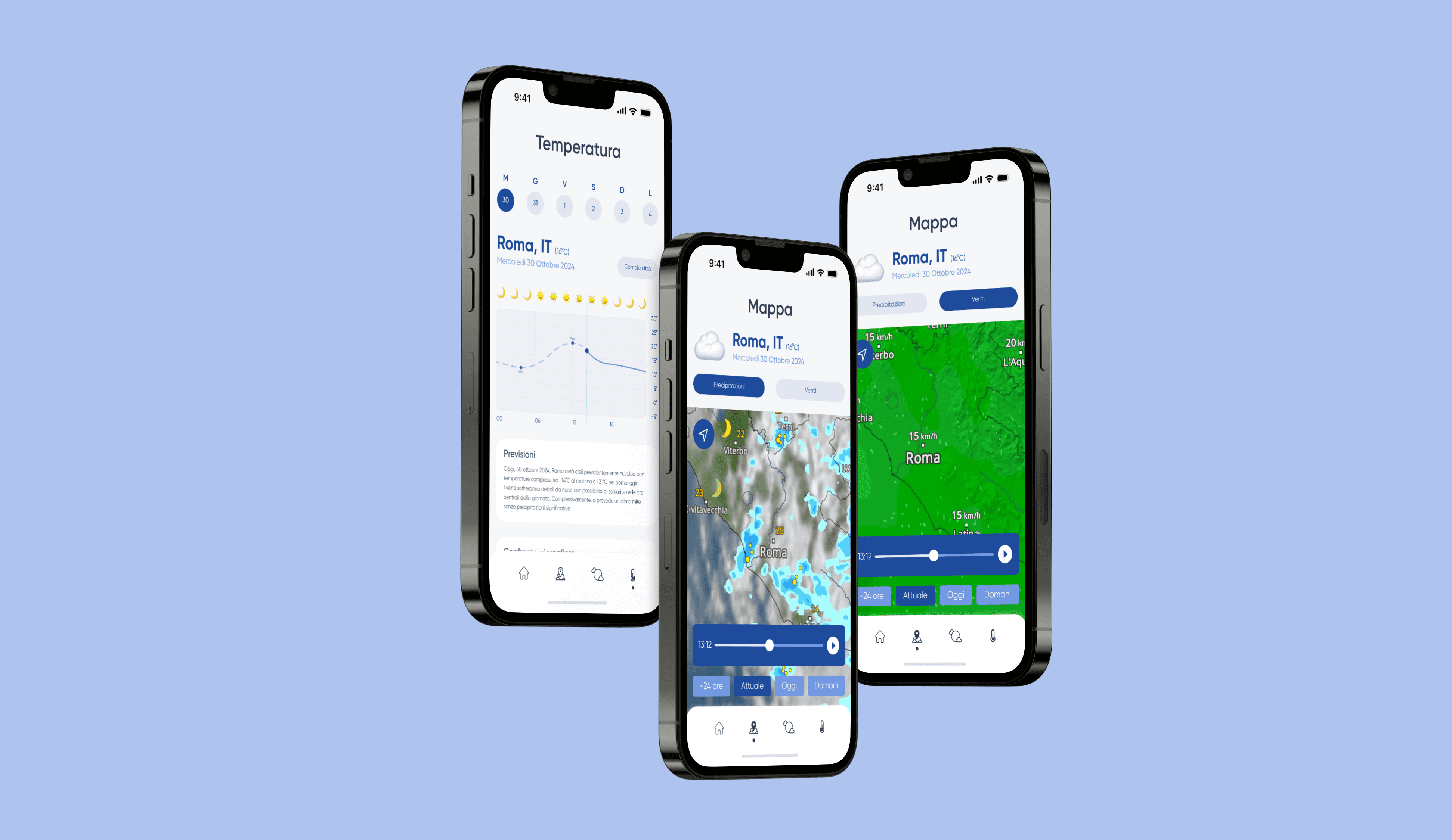
The design was conceptualized to balance aesthetics and functionality. Dynamic weather icons, a logical information hierarchy, and a color scheme tailored to weather conditions were incorporated to enhance the user experience.
Crafting the prototype
The prototype included a clean layout with weather data grouped logically. Swiping gestures were introduced for navigating between hourly and weekly forecasts. Dynamic UI elements, such as animated weather icons, made the interface more engaging.
Iteration and refinement
During the design process, we refined the prototype by optimizing spacing, improving contrast for better readability, and ensuring the layout was fully responsive across devices.
Takeaway
By focusing on a user-centric design and leveraging visual hierarchy, dynamic elements, and responsive layouts, we created a weather app that delivers essential information seamlessly while enhancing user engagement and accessibility.